
Introduction
When it comes to smartphones, battery life is one of the most important features we look for. After all, what good is a powerful phone if it can’t last through the day? Samsung’s Galaxy S23 series—featuring the Galaxy S23, S23+, and S23 Ultra—promises to deliver not just exceptional performance but also reliable battery life.
Whether you’re scrolling through social media, gaming, or binge-watching your favorite shows, you’ll want to know how well these phones can keep up. In this blog, we’ll break down everything you need to know about the Samsung Galaxy S23 series’ battery life, so you can decide which one fits your lifestyle best. Let’s dive in.
What Is Samsung Galaxy S23 Series Battery Life: Here’s What You Need to Know
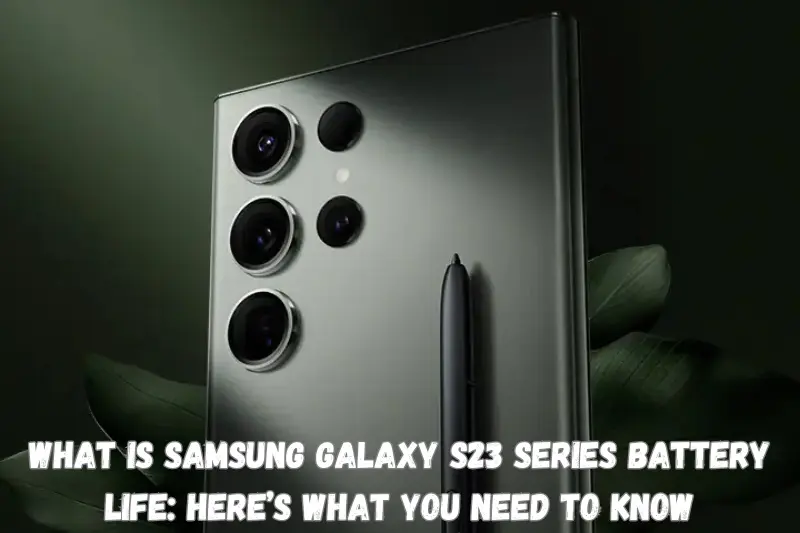
Galaxy S23
- Battery Capacity: 3,900mAh
- Typical Usage: The Galaxy S23 is perfect for light to moderate use, such as browsing, messaging, and social media.
- Battery Life: It delivers around 5 to 7 hours of screen-on time, depending on usage patterns.
- Charging: Supports 25W wired charging and 15W wireless charging, giving you a quick top-up when needed.
Galaxy S23+
- Battery Capacity: 4,700mAh
- Typical Usage: With a larger battery, the S23+ is ideal for users who watch videos, multitask, or work on the go.
- Battery Life: You can expect around 7 to 8 hours of screen-on time, making it a great all-rounder.
- Charging: Supports faster 45W wired charging alongside 15W wireless charging.
Galaxy S23 Ultra
- Battery Capacity: 5,000mAh
- Typical Usage: Designed for power users, the S23 Ultra excels in handling intensive tasks like gaming, streaming, and photography.
- Battery Life: Delivers an impressive 8 to 10 hours of screen-on time.
- Charging: Like the S23+, it supports 45W wired charging and 15W wireless charging for quick and efficient recharging.
You May Also Like It!
Top 13 Side Hustle Ideas To Make Extra Income – Complete Guide
How to Start a Profitable Online Business From Scratch – Complete Guide
How to Earn One Million Dollar In Year – Complete Detail Guide
Why is Battery Life Important in the Samsung Galaxy S23 Series?
Ensures All-Day Productivity
- Smartphones are essential tools for work, study, and communication.
- A longer battery life means fewer interruptions during meetings, emails, or tasks.
- The Galaxy S23 series, especially the S23 Ultra, supports power users with extended battery performance.
Supports Entertainment on the Go
- From streaming videos to gaming, a robust battery ensures seamless entertainment.
- The adaptive refresh rate balances high-quality visuals with efficient power usage.
- Users can enjoy long hours of uninterrupted media consumption without worrying about finding a charger.
Reduces the Need for Frequent Charging
- Carrying a charger or power bank isn’t always convenient.
- The S23 series’ optimized power management minimizes charging frequency.
- With fast charging support (45W for the S23+ and Ultra), you can quickly power up when needed.
Enhances Travel Convenience
- Long-lasting batteries are vital during trips when access to power outlets is limited.
- The energy-efficient Snapdragon 8 Gen 2 chip reduces standby drain, ensuring the phone lasts longer between charges.
- Wireless PowerShare lets you charge accessories like Galaxy Buds or smartwatches while on the move.
Aligns with Modern Lifestyle Demands
- Smartphones are more than communication devices—they are also cameras, gaming consoles, and personal assistants.
- Battery life determines how much you can rely on your phone for these activities throughout the day.
- The S23 series balances high performance and longevity, meeting the needs of today’s tech-savvy users.
Step-by-Step Guide: Samsung Galaxy S23 Series Battery Life – Here’s What You Need to Know
Step 1: Understand the Battery Specifications
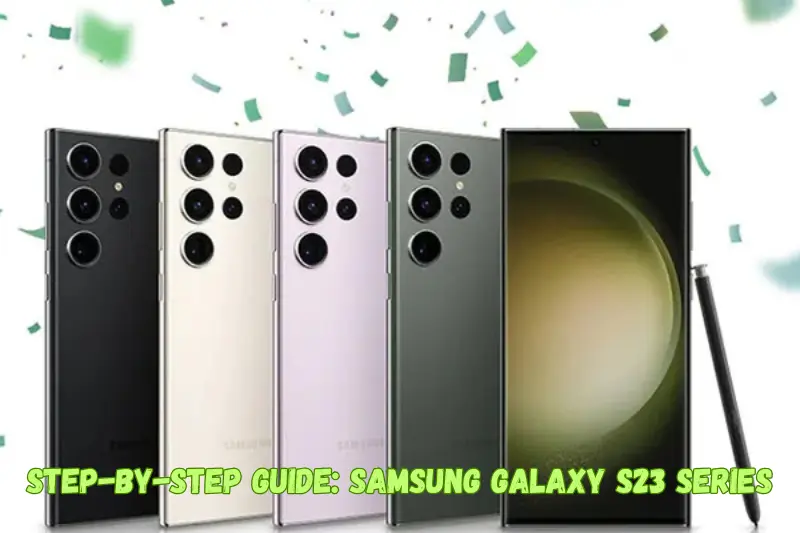
Each model in the Galaxy S23 series comes with a different battery capacity and charging capability:
- Galaxy S23: 3,900mAh, 25W wired charging, 15W wireless charging.
- Galaxy S23+: 4,700mAh, 45W wired charging, 15W wireless charging.
- Galaxy S23 Ultra: 5,000mAh, 45W wired charging, 15W wireless charging.
- Choose the model based on your usage needs—light, moderate, or power-intensive.
Step 2: Monitor Real-World Battery Performance
- Daily Usage: Check how long your phone lasts under normal use, such as calls, browsing, and social media.
- Heavy Use: Test battery life during intensive activities like gaming or video recording.
- Screen-On Time (SOT): Track the SOT in your settings to measure how efficiently the battery performs.
Step 3: Optimize Display Settings
- Enable Adaptive Refresh Rate to adjust the refresh rate up to 120Hz based on your activity.
- Use Dark Mode to take advantage of the AMOLED display’s efficiency.
- Lower screen brightness or set it to auto-adjust.
Step 4: Use Smart Charging Features
- Use a 45W charger (for S23+ and Ultra) for fast charging.
- Try Wireless PowerShare to charge your Galaxy Buds or other devices directly from your phone.
- Avoid using third-party chargers to maintain battery health.
Step 5: Manage Apps and Background Processes
- Check Battery Usage in settings to identify apps consuming the most power.
- Use App Power Management to limit background activity for rarely used apps.
- Enable Sleep or Deep Sleep mode for non-essential apps.
Step 6: Leverage Power-Saving Modes
- Medium Power Saving: Limits CPU performance and reduces screen brightness.
- Maximum Power Saving: Reduces non-essential features for emergency situations.
Step 7: Minimize Connectivity Drains
- Turn off Wi-Fi, Bluetooth, and GPS when not in use.
- Switch to 4G instead of 5G in areas with poor 5G coverage to save power.
- Enable Airplane Mode in low-signal areas to prevent battery drain from searching for a network.
Step 8: Update Software Regularly
- Samsung frequently releases software updates to optimize battery life and fix bugs. Ensure your Galaxy S23 series device is running the latest version of One UI.
Step 9: Extend Battery Health Over Time
- Avoid overcharging or letting the battery drain completely.
- Charge up to 85% and unplug if not necessary to fully top up.
- Use Battery Protection Mode in settings to limit maximum charge to 85%.
Step 10: Track Your Battery Life Improvements
- After following these steps, monitor battery performance over time to see improvements in daily usage, standby time, and charging efficiency.
Advantages and Disadvantages of Samsung Galaxy S23 Series Battery Life
Advantages
| Long Battery Life Galaxy S23 Ultra offers exceptional battery life, lasting up to 10 hours of screen-on time under normal use. Efficient power consumption ensures all-day use for casual to heavy users. |
| Fast Charging Support The S23+ and S23 Ultra support 45W fast charging, allowing you to charge up to 65% in just 30 minutes. Wireless charging (15W) and Wireless PowerShare add convenience for on-the-go users. |
| Energy-Efficient Processor The Snapdragon 8 Gen 2 chipset is designed for power efficiency, reducing unnecessary battery drain even during intensive tasks. |
| Advanced Battery Management Features like Adaptive Battery and Power Saving Modes help extend battery life by learning user habits and reducing background usage. |
| Versatile Battery Sizes With battery capacities ranging from 3,900mAh to 5,000mAh, the series caters to different usage needs: S23: Compact users. S23+: Balanced use. S23 Ultra: Power users. |
Disadvantages
| Limited Charging Speed on S23 The base Galaxy S23 supports only 25W wired charging, which is slower compared to competitors in the same price range. |
| No Charger in the Box Samsung no longer includes a charger in the box, requiring users to purchase one separately, especially for fast-charging capabilities. |
| Heavy Usage Still Drains Quickly While efficient, activities like high-refresh-rate gaming or 4K video recording can still deplete the battery rapidly. Intensive use might require a mid-day recharge for the S23 and S23+. |
| 5G Connectivity Impact Prolonged 5G usage can significantly reduce battery life, especially in areas with weak coverage. |
| Battery Size May Feel Insufficient for Some The Galaxy S23’s 3,900mAh battery might feel limited for users accustomed to larger batteries, particularly for heavy usage. |
You May Also Like It!
How to Become Millionaire Fast- Complete Guide
Diversify Your Earnings : Earn Money from Google Ads – Detailed Guideline
Earn Money with Surveys Your Guide to Making Extra Cash – Complete Detail Guide
Conclusion
The Samsung Galaxy S23 series offers reliable battery life tailored to different needs. Whether you choose the compact S23, the balanced S23+, or the powerhouse S23 Ultra, you’ll enjoy efficient performance and fast charging options. With smart battery features and the latest tech, these phones are built to keep up with your busy lifestyle. Pick the model that fits your daily routine and enjoy a phone that works as hard as you do!
Bonus Points About Samsung Galaxy S23 Series Battery Life
Wireless PowerShare
- You can share your phone’s battery with other devices like earbuds, smartwatches, or even another phone. A lifesaver when your accessories run out of charge!
Adaptive Battery Learning
- The phone learns your usage patterns and adjusts power consumption, making the battery more efficient over time.
Intelligent Display Tech
- The 120Hz adaptive refresh rate not only makes the display smoother but also saves battery by adjusting the refresh rate based on what you’re doing.
Battery Protection Mode
- Samsung includes a feature to limit charging to 85%, helping prolong the overall lifespan of your battery.
Energy-Efficient Processor
- The Snapdragon 8 Gen 2 chip doesn’t just offer top-tier performance; it’s also designed to maximize battery efficiency, even during demand tasks.
Extreme Power Saving Mode
- Need your phone to last in an emergency? This mode cuts non-essential features, giving you extra hours of use with minimal power.
You May Also Like It!
Faceless Youtube Channel Ideas For beginners – Complete Detail Guide
The Retirement Healthcare Cost Budgeting For Medical Bills – Complete Guide
Credit Card Debt || 5 Simple Step To Avoid It – Complete Guideline
Xbox Game Pass Vs Game Pass Ultimate: Which Is Right For You? – Complete Guidance
